What is ESD Cleaning in Data Centers?
Learn the essentials of ESD cleaning in data centers to protect sensitive IT equipment from costly static damage. Discover safe procedures for maintaining your facility.
Key takeaways
- ESD cleaning prevents electrostatic discharge by keeping cleaners, tools, and products at the same electrical potential as data center equipment.
- ANSI/ESD S20.20 covers parts vulnerable to human body model discharges of 100 volts and charged device model discharges of 200 volts.
- Safe data center cleaning requires ESD-safe tools, anti-static garments, grounded wrist straps, and gentle wiping strokes.
- Internal equipment cleaning should only occur when hardware is powered down and performed with the owner's approval.
What Is ESD Cleaning in Data Centers?
ESD cleaning is the cleaning of a data center and its equipment in a way that prevents electrostatic discharge. The cleaner, the tools and the products are all kept at the same electrical potential as the equipment, so no static charge jumps into a server, switch or storage array while the work is done.
It matters because the charge needed to damage electronics is far smaller than the charge you can feel. You feel a static shock at a few thousand volts. Sensitive parts can be damaged at 100.
What is electrostatic discharge?
Electrostatic discharge (ESD) is the sudden flow of charge between two objects at different electrical potentials. Charge builds up when materials rub together or separate: shoes on a floor, a cloth on a plastic panel, a vacuum hose sliding over a rack. When the charged object comes close to a conductor at a different potential, the charge jumps.
The damage is often invisible. A part can fail at once, or it can be weakened and fail weeks later, which makes the cause hard to trace back to the cleaning visit.
How much voltage does it take to damage equipment?
ANSI/ESD S20.20, the standard published by the ESD Association for ESD control programmes, is written for parts that can be damaged by discharges of 100 volts on the human body model (HBM) and 200 volts on the charged device model (CDM). It also limits the voltage on isolated conductors, such as a loose metal tool, to under 35 volts.
Those figures are well below anything a person notices. The practical lesson is simple: if your process relies on people "being careful", it does not control ESD.
Where does static come from during cleaning?
- Walking on floors in ordinary shoes.
- Synthetic clothing rubbing as you kneel and reach.
- Plastic brushes, cloths and buckets.
- Vacuum hoses and wands that are not anti-static.
- Peeling tape or plastic film near equipment.
- Dry air, which lets charge build up more easily.
How do you clean a data center safely from ESD?
1. Prepare people and tools
- Check that every tool, wipe, brush and vacuum is rated ESD-safe.
- Dress in anti-static garments and ESD footwear or shoe covers, as described in what to wear for technical cleaning.
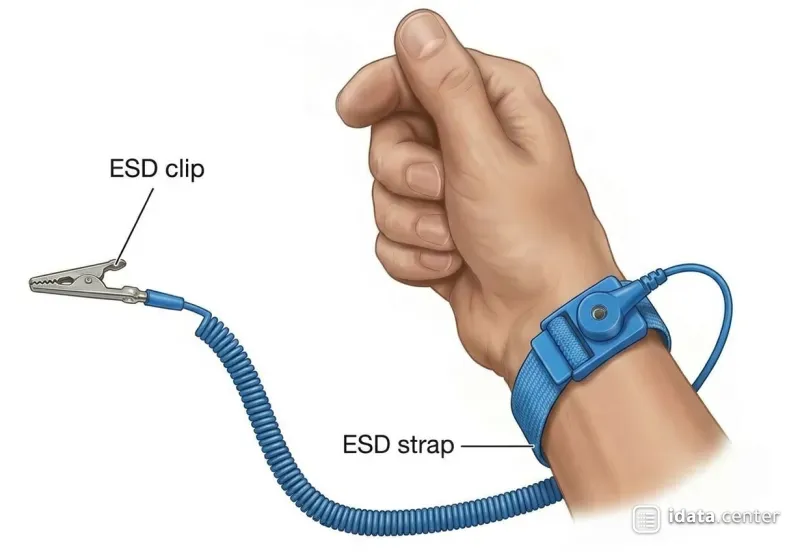
- Fit a wrist strap to a known ground point before working inside a rack, and test it first.
2. Clean surfaces gently
- Use ESD-safe, lint-free wipes and mops on racks, floors and cabinets.
- Wipe with light, steady strokes. Hard, fast rubbing creates charge.
- Use only cleaning liquids approved for the area, and never spray directly on equipment.
3. Control airborne particles
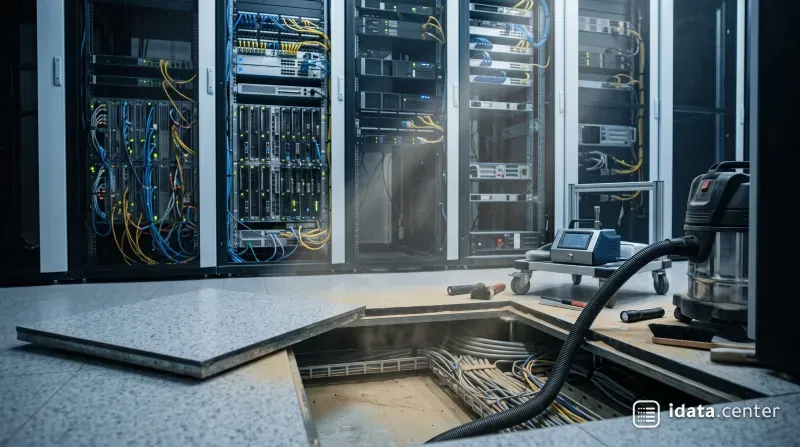
- Use HEPA vacuums with anti-static hoses and housings for equipment and subfloor areas. See HEPA vacuums inside data centers.
- Do not use vacuums without HEPA filters. They push fine dust back into the room.
- Do not use compressed air near live equipment. It spreads dust and can build charge.
4. Clean around equipment, not inside it
- Clean around live hardware without touching components.
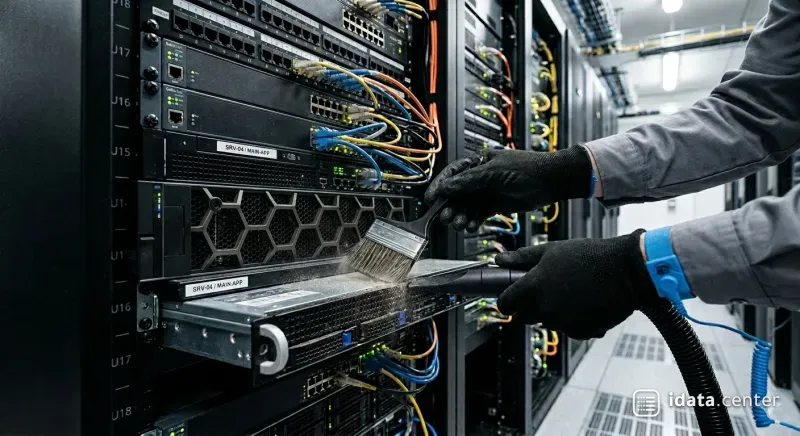
- Use anti-static brushes for hard-to-reach areas such as rack rails and cable managers.
- Internal cleaning of equipment is done only when it is powered down and with the owner's approval. The method for live cabinets is in cleaning active IT cabinets.
ESD-safe tools at a glance
|
Tool |
ESD-safe version |
Avoid |
|
Vacuum |
HEPA, anti-static hose and wand, grounded |
Household vacuum, plastic hose |
|
Brush |
Anti-static (conductive) bristles |
Plastic or nylon brush |
|
Wipes |
Lint-free, low-charging |
Paper towels, cotton rags |
|
Mop |
ESD-safe head and handle |
Standard wet mop |
|
Personal |
Wrist strap, ESD footwear, anti-static garments |
Street clothes, rubber-soled shoes |
How does the entrance help?
ESD control and dust control start at the door. Sticky mats and shoe covers keep grit off the floor, and an ESD footwear tester at the entrance confirms that each person is properly grounded before they walk in.
How do you check that ESD control is working?
- Test wrist straps at the start of every shift, using a wrist strap tester, and record the result.
- Test footwear or shoe covers at the entrance tester every time you enter.
- Inspect anti-static brushes, hoses and garments for wear before each job, and replace damaged items.
- Keep the test records with the job report, so the client can see the control was in place.
ESD cleaning is not a special product. It is a set of habits: grounded people, ESD-safe tools, gentle methods and no shortcuts inside the rack. Build those into your method statement, and the cleaning visit stops being a risk to the equipment it is meant to protect.
Frequently asked questions
What is ESD cleaning in data centers?
Why is ESD cleaning important for data center equipment?
What causes static electricity during data center cleaning?
How can you clean a data center safely from ESD?
How do you check that ESD control is working?
© Ashraf Almuhtaseb | idata.center. Short quotes are welcome with credit and a link to this article. Republishing the full article requires written permission.